

https://mcp.rubixkube.ai/mcp, over HTTP. It works with any RubixKube account, on every plan.
Install
The console’s Apps page has a one-click install for Cursor, VS Code and Claude.- Claude Code
- Cursor
- VS Code
- Other tools
Install the plugin, which adds the server, the skills and a read-only investigator agent:Or add only the server:
Sign in
The first time you use it, your tool opens a browser window. Sign in with the same account you use at console.rubixkube.ai. You stay signed in after that.Acting as you
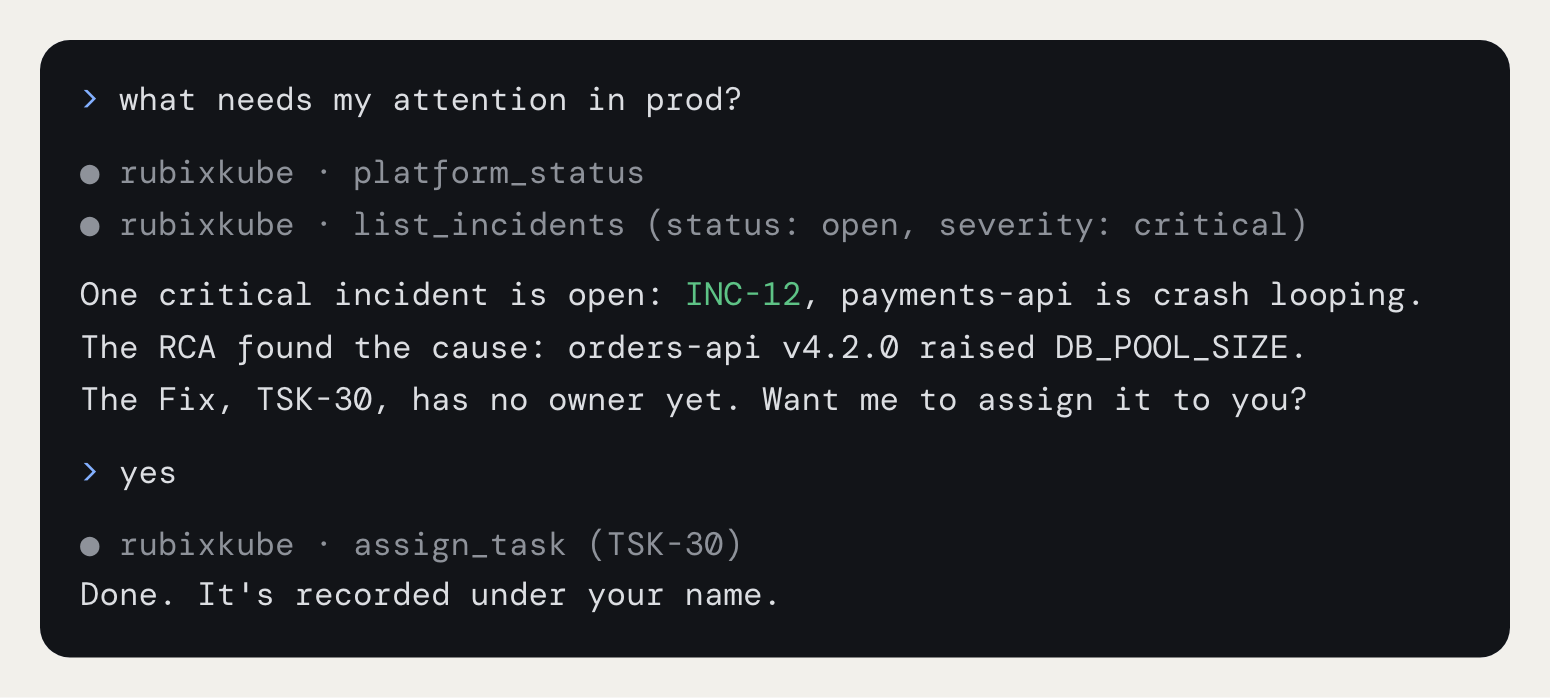
Everything runs as the person who signed in, and every change is recorded under your name, the same as if you’d made it in the console. If you close an incident from Cursor, the incident’s history says you closed it. Modes apply to Rubix, not to your AI tool. RubixKube asks for no approval here, so your AI tool’s own confirmation is the check before a change.Tools
There are 25 tools. Fifteen read and ten make changes.Reads
Changes
Prompts
These show up as slash commands in tools that support them.Resources
You can attach these to a chat as context:rubixkube://environments, rubixkube://incidents/open, rubixkube://incidents/{id}, rubixkube://rcas/{id} and rubixkube://tasks/open.
Skills
The plugin adds eight skills that tell your assistant when and how to use the tools:status, incidents, investigate, environments, tasks, rca, changes and knowledge.
Claude Code also gets rubixkube-investigator, an agent that walks one incident and reports back without changing anything.
The plugin is open source at rubixkube-io/rubixkube-for-ai.
Related pages
Slack
Talk to Rubix in your Slack threads.
Rubix chat
Talk to Rubix in the console.
Modes
What Rubix can do without asking.
Integrations overview
The two ways to connect a tool.