

orders-api version raises its database pool, connections to orders-db run out, and payments-api starts crash-looping in prod-us-east-1. Your names will differ. The steps won’t.
You need a RubixKube account. The Individual plan is enough.
1
Connect a source
A source is a Kubernetes cluster, cloud account, machine or tool that RubixKube can see. Click Connect a source in the sidebar, pick what you’re connecting and follow what the dialog shows. Connect your environment has the details.Already connected? Go to the next step.
2
Let an incident open
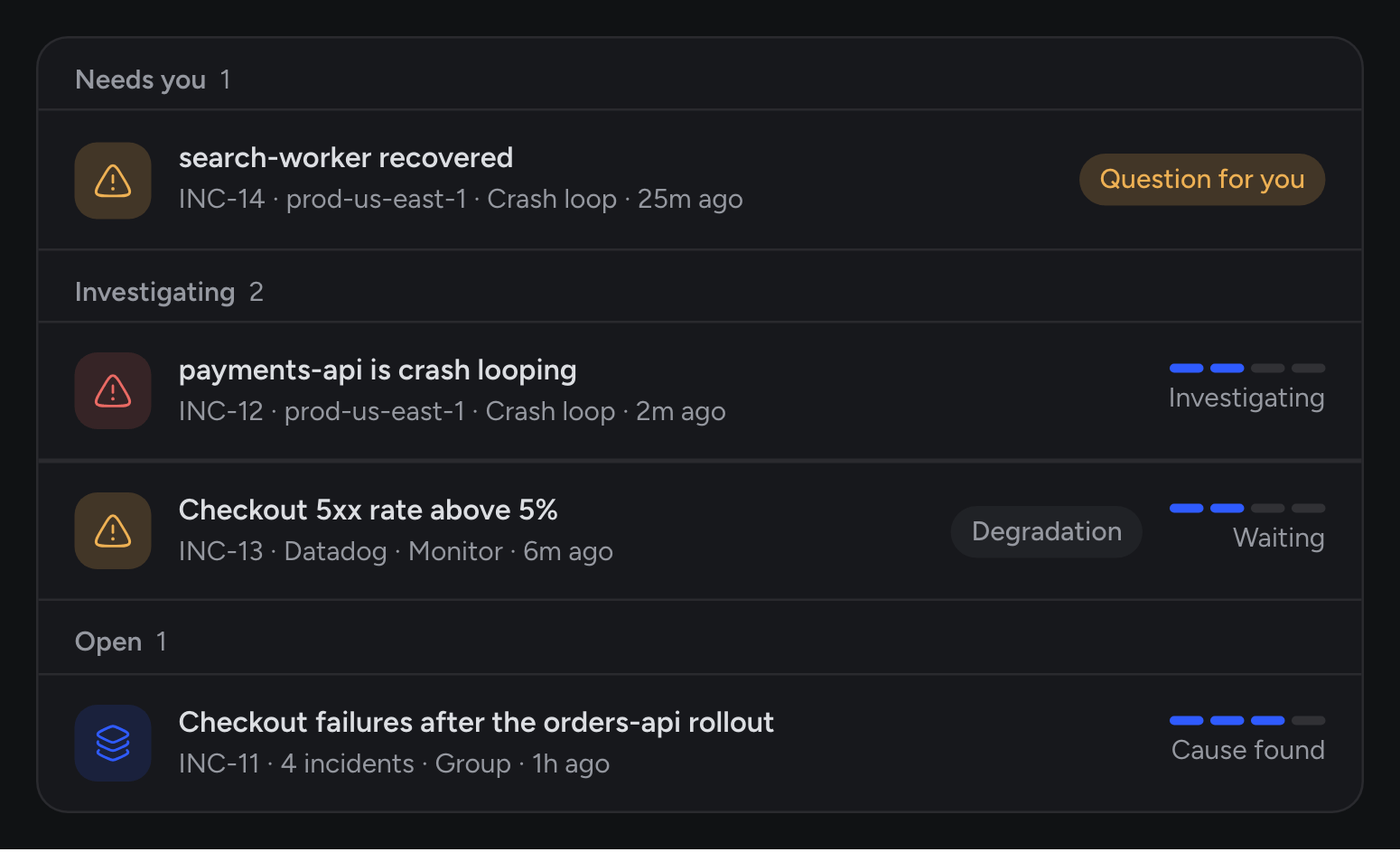
The observer in your source reports what breaks, and RubixKube turns that into an incident. If you have one open already, use it. If not, you can break something small on purpose:That image doesn’t exist, so the pod can’t start.Open Incidents in the sidebar and wait for it to appear.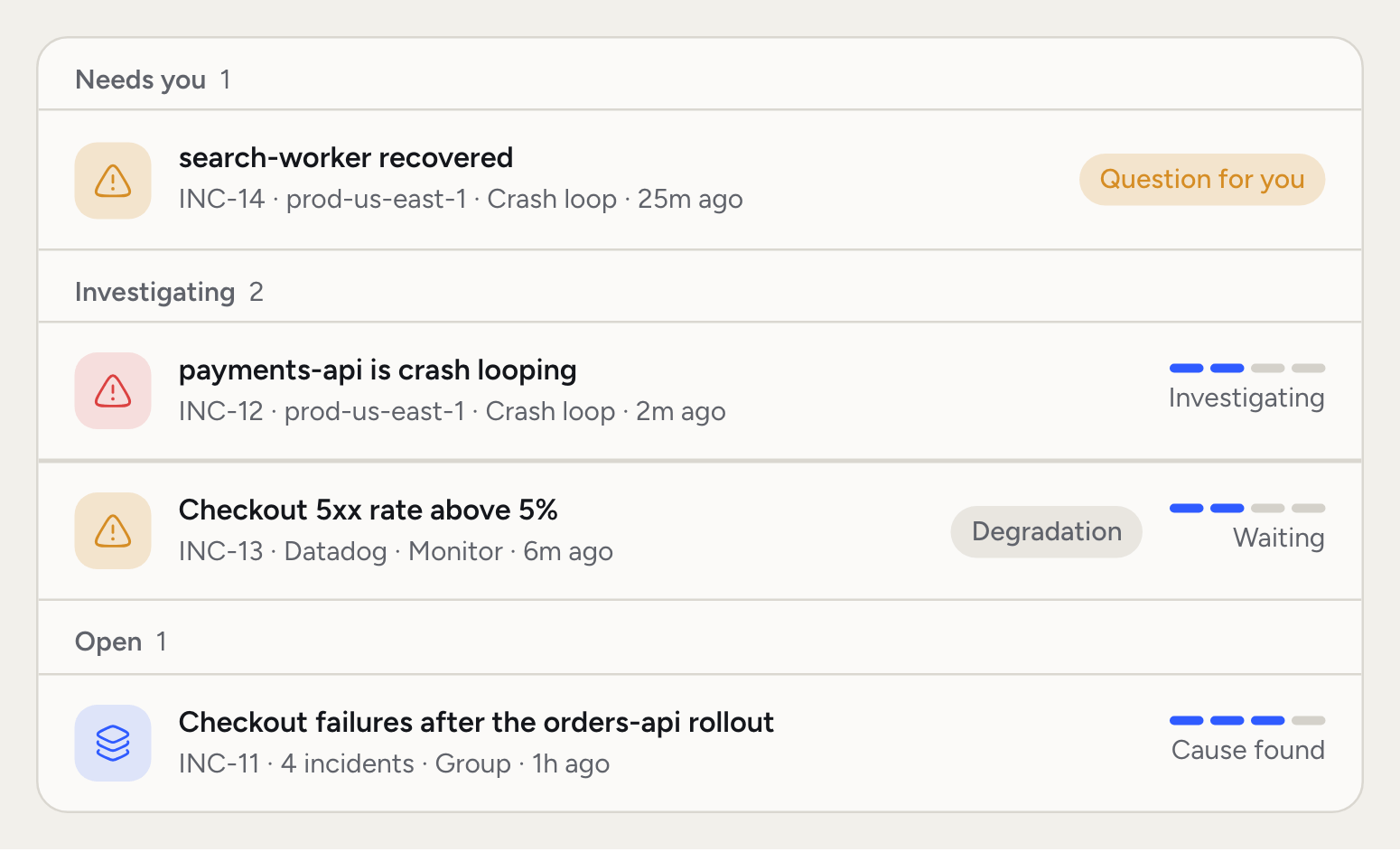
3
Watch Rubix investigate
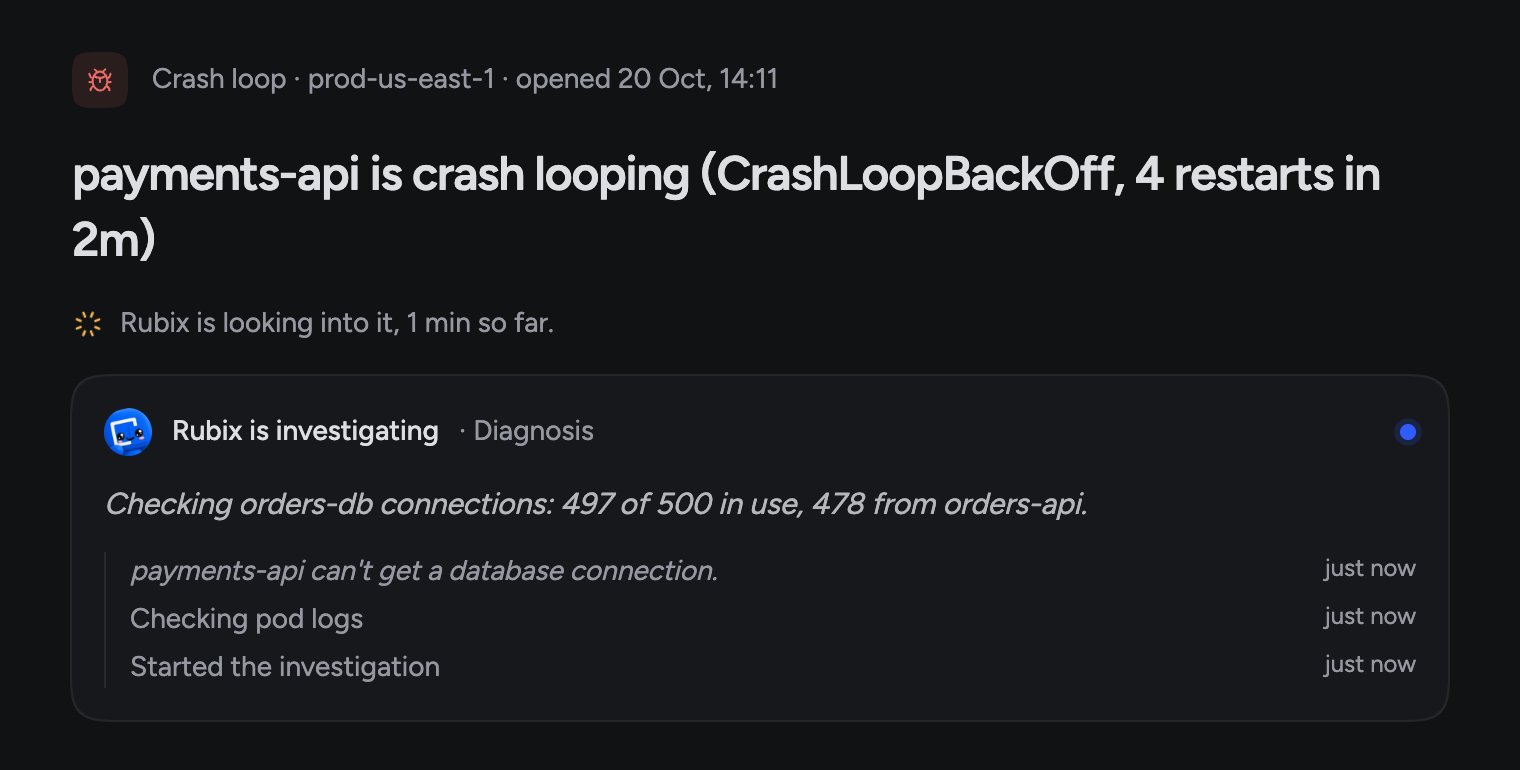
Open the incident. The journey card shows where it is: detected, triaged, waiting, then each part of the investigation with how long it took.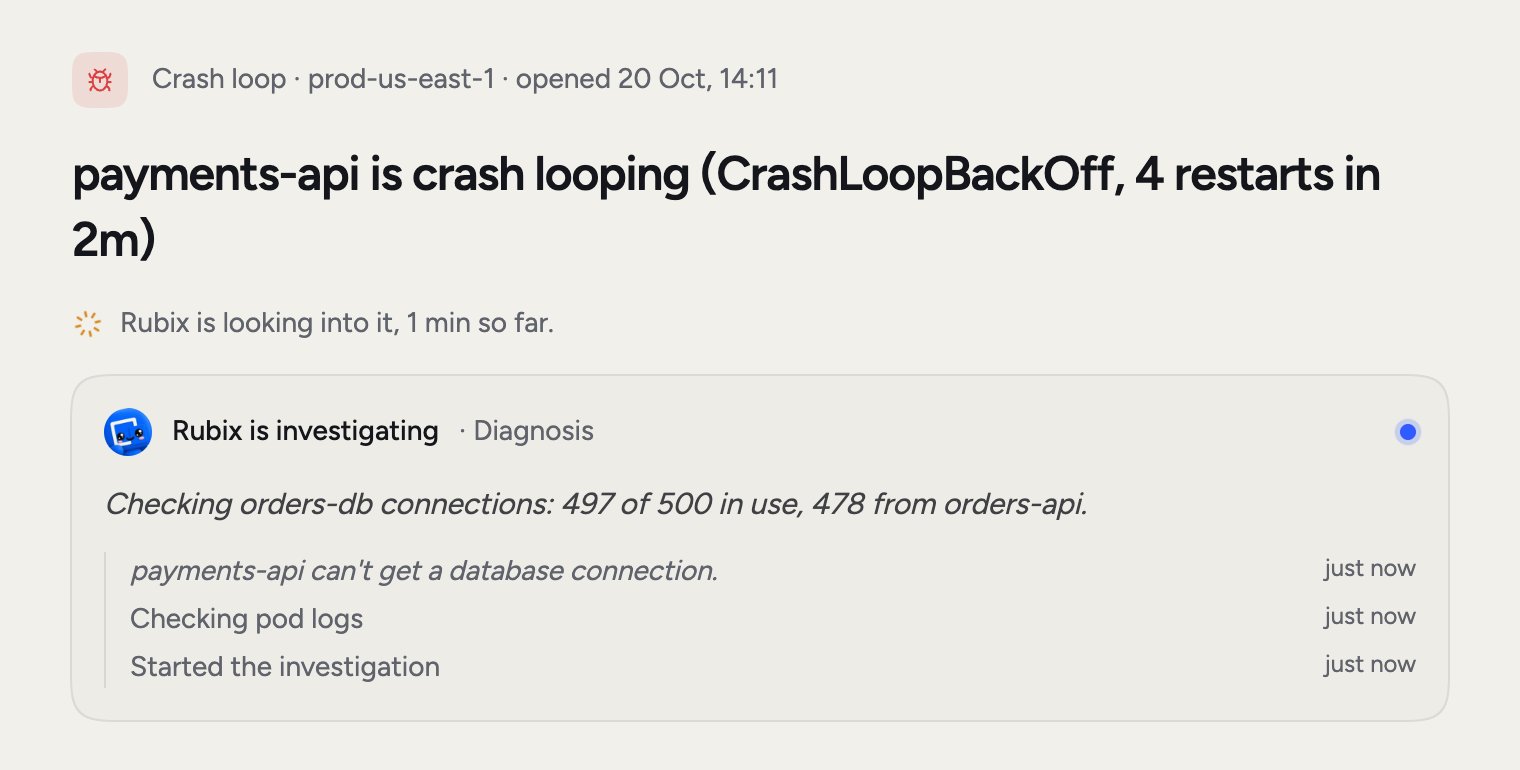
4
Read the RCA
When Rubix finishes, the incident page shows the cause and links to the RCA. You’ll also find it under RCAs in the sidebar.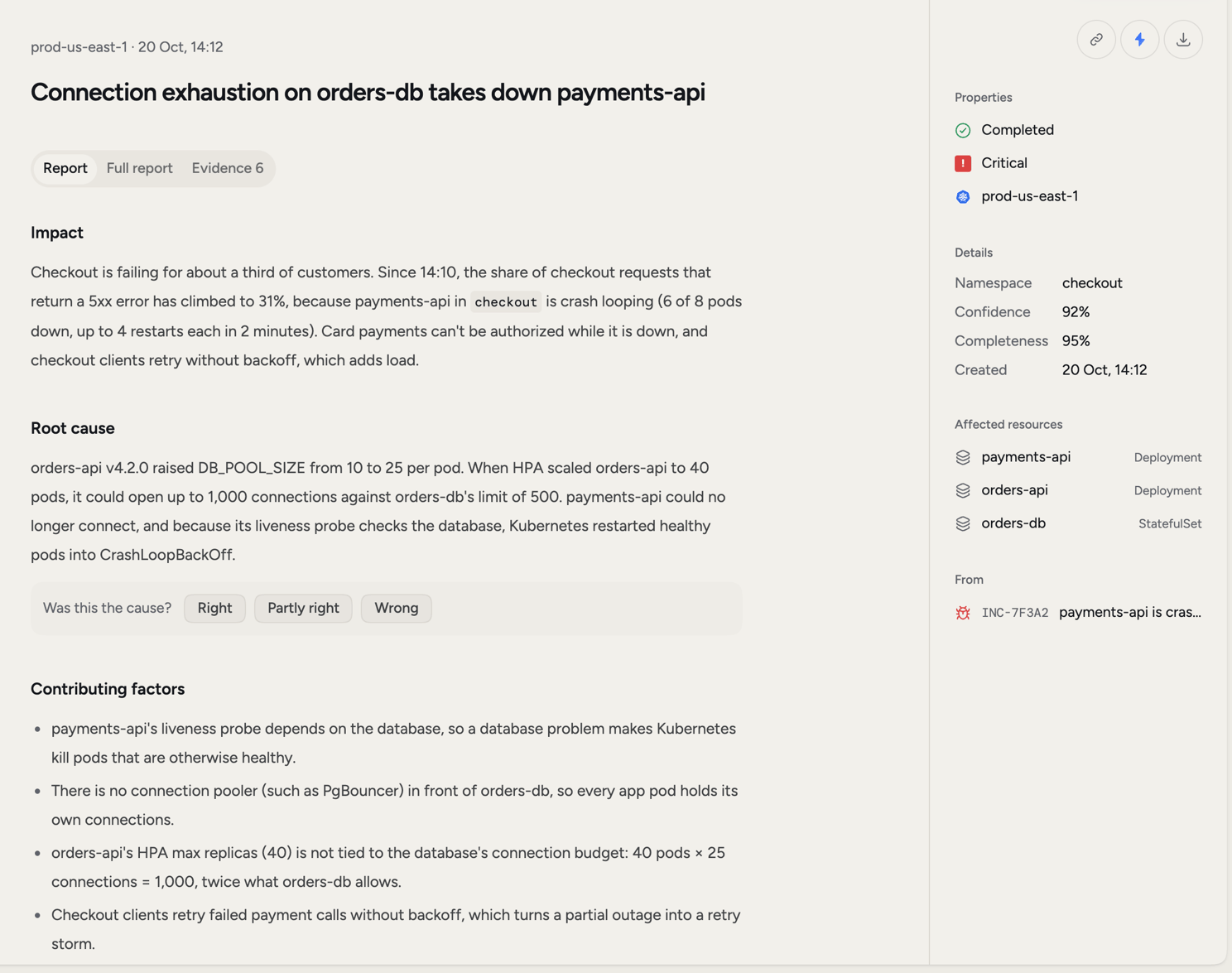
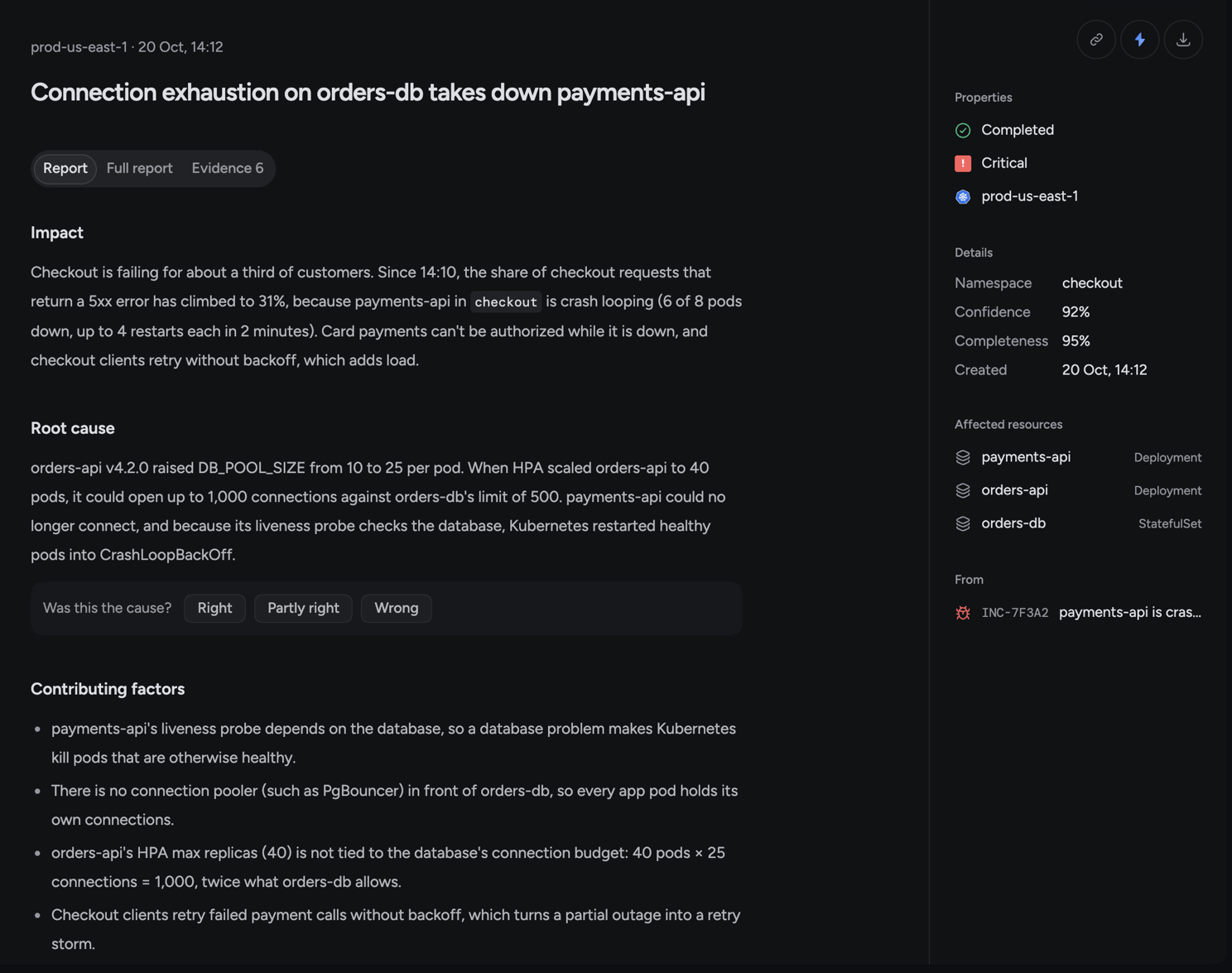
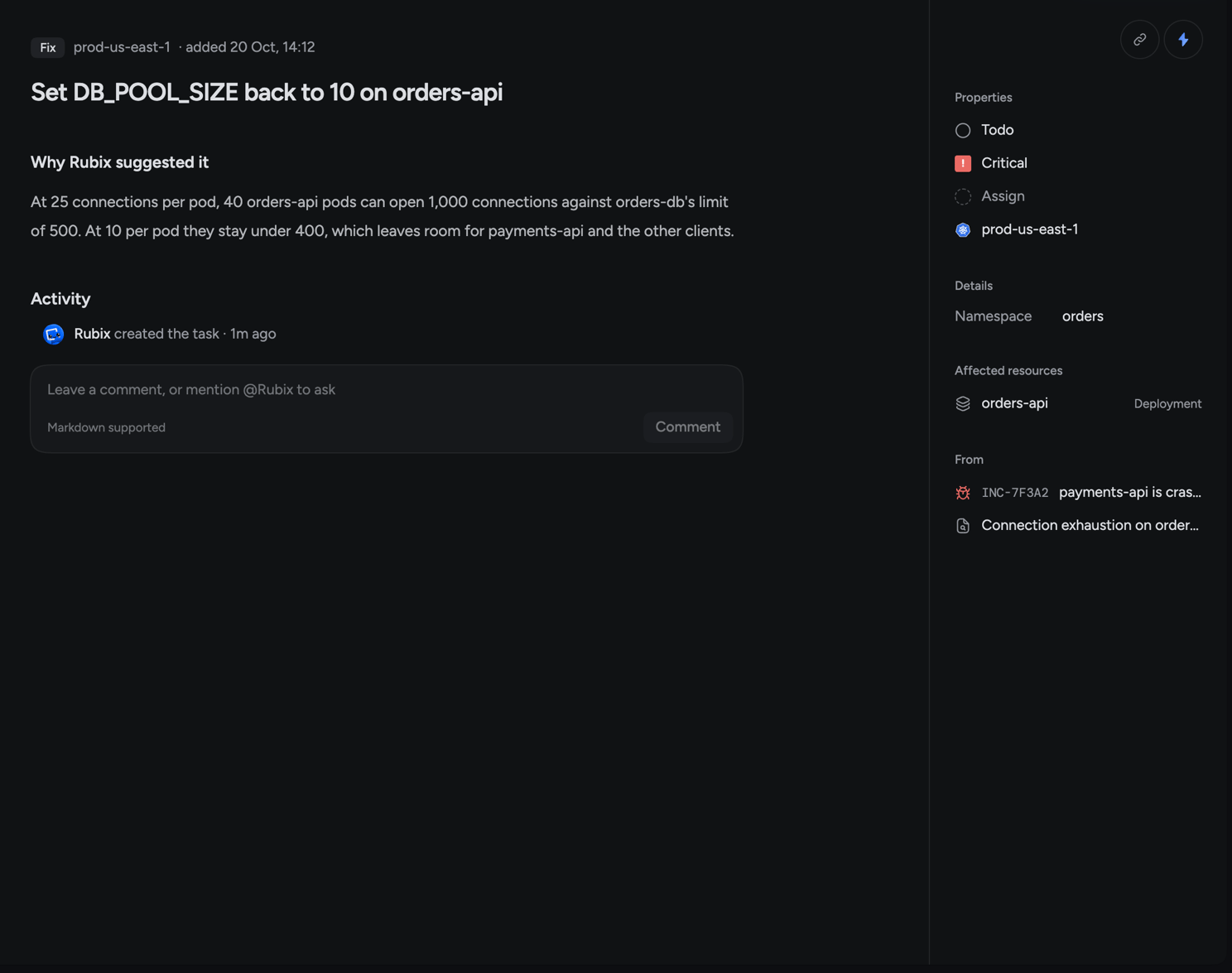
orders-api version used up the orders-db connections, which left payments-api crash-looping. The Fix says to set DB_POOL_SIZE back to 10.Below that you’ll find the Tasks, the impact, the rollback steps and a timeline. The Evidence tab shows what Rubix based its answer on, and Confidence in the side panel shows how sure it is.5
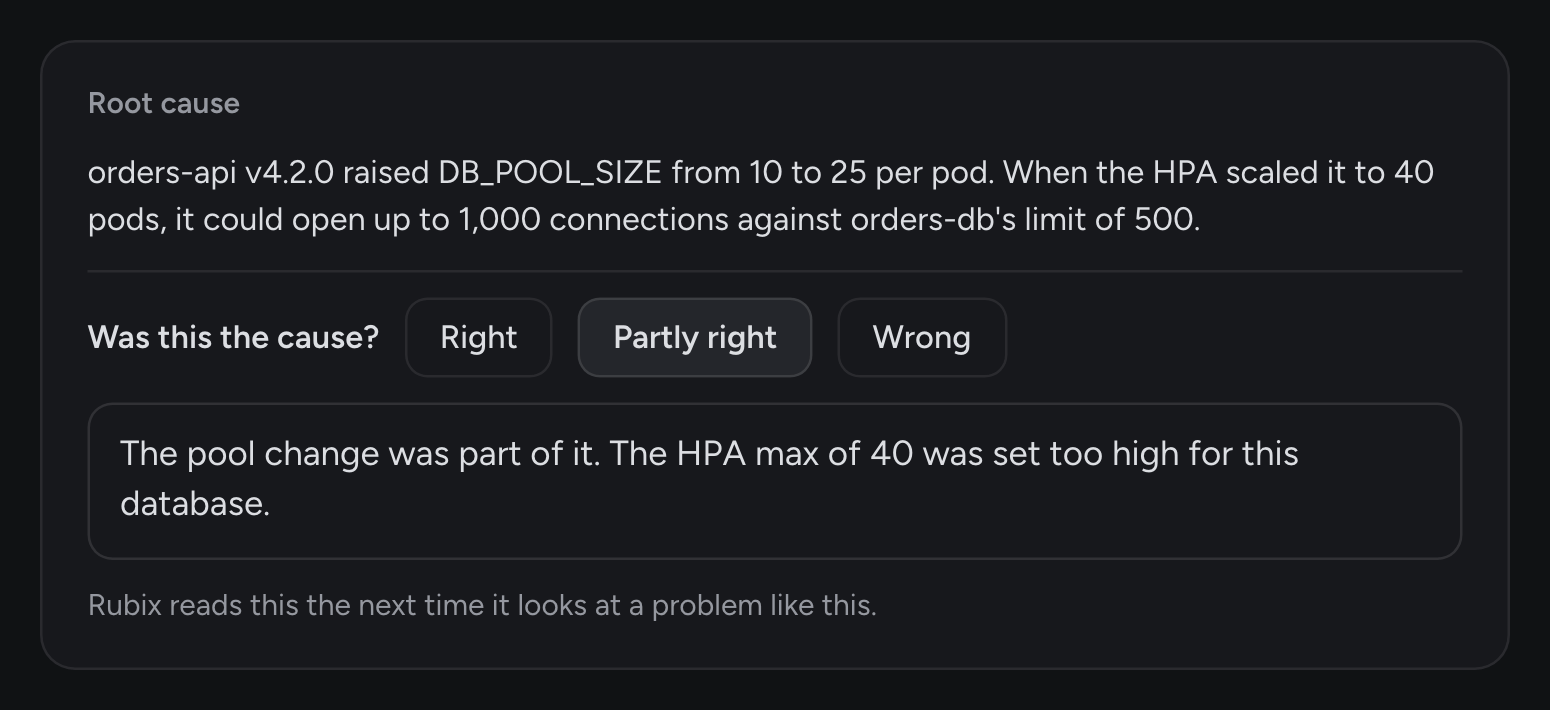
Say if Rubix got it right
Rubix can be wrong, so every RCA asks. Under the root cause, Was this the cause? has three answers: Right, Partly right and Wrong.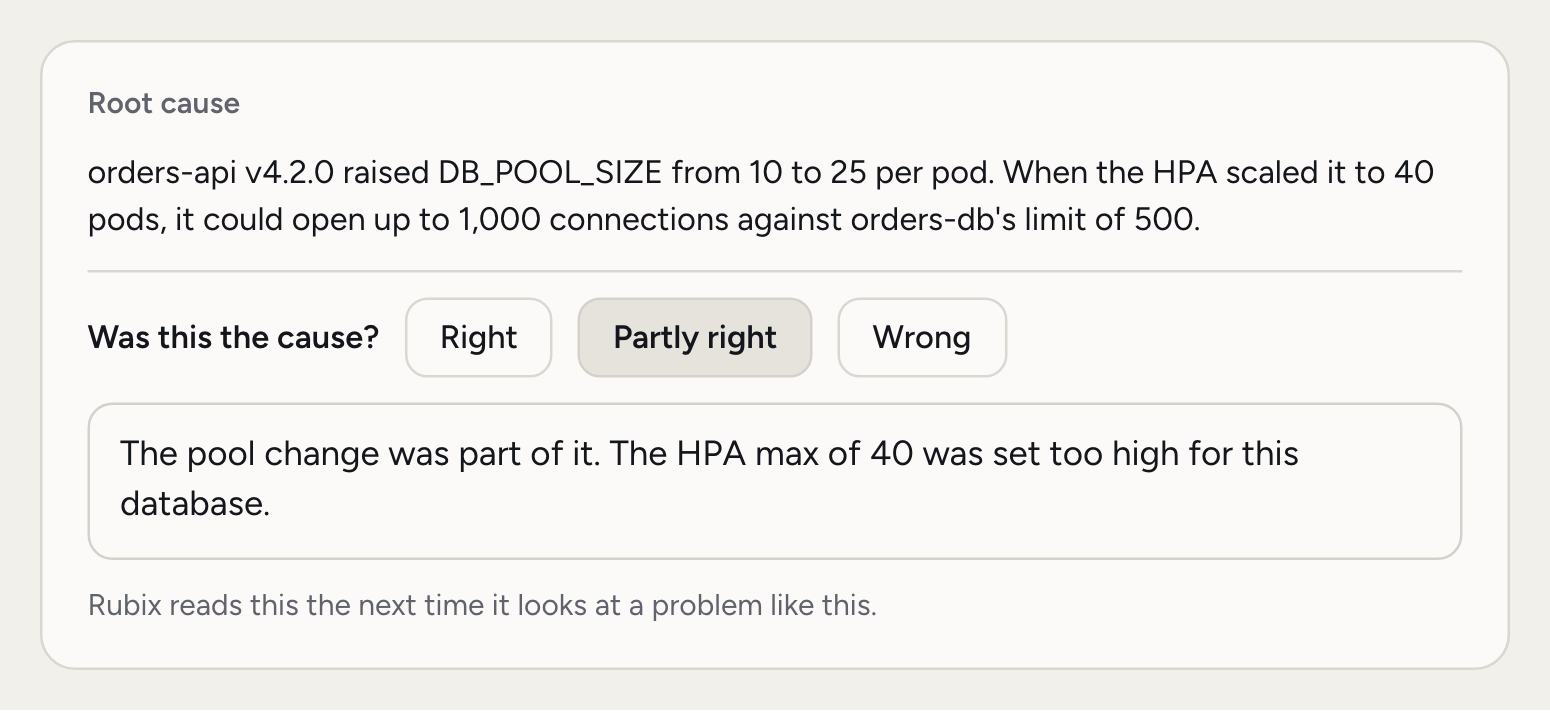
6
Assign the Fix
The Tasks section lists what Rubix proposes. A Fix solves this problem. A Follow-up stops it from coming back. Open the Fix.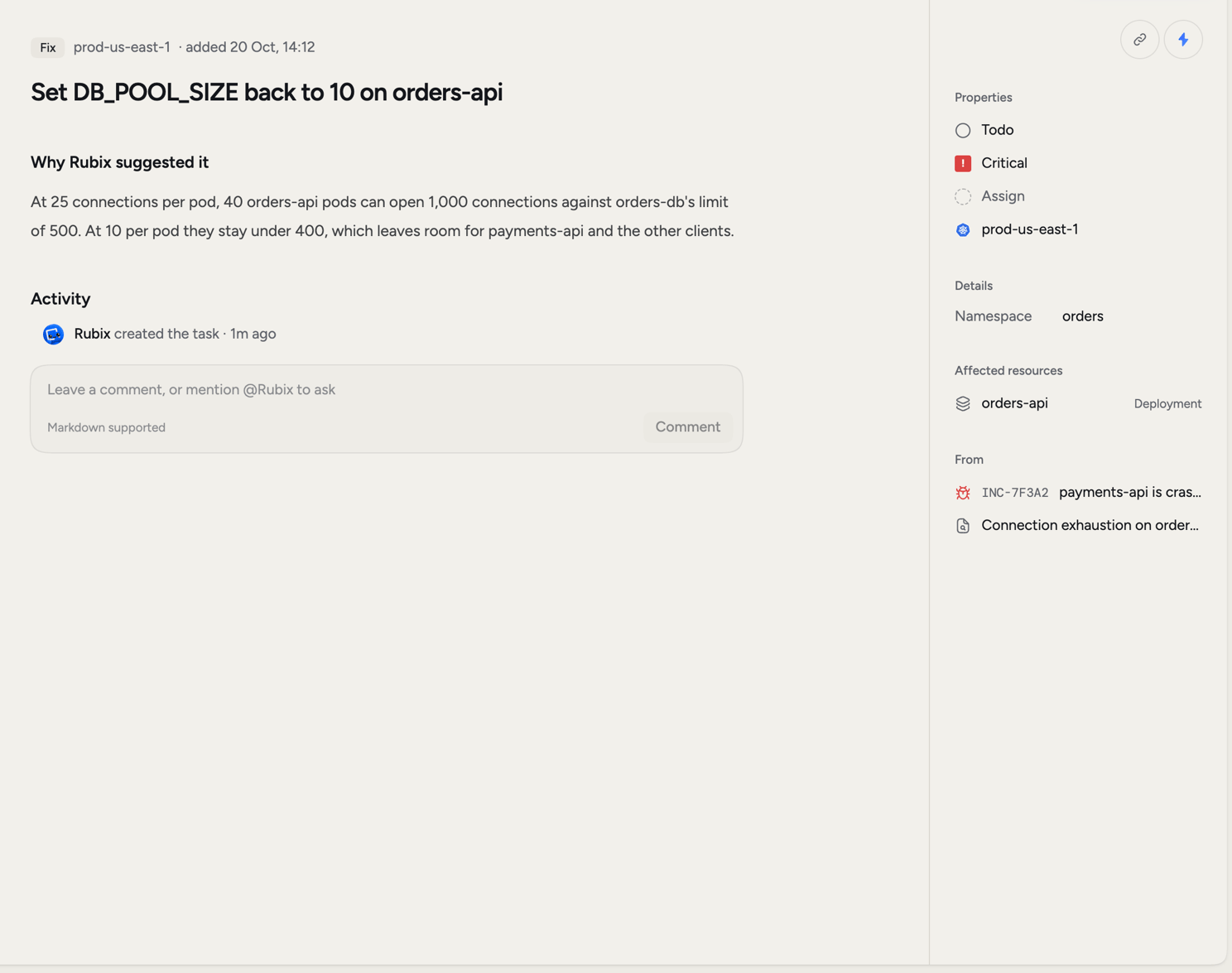
7
Say what fixed it
When the problem clears, the observer reports the recovery. If Rubix can’t explain why it recovered, the incident moves to Needs you and asks What fixed it?, or Which of these fixed it? when it saw changes right before the recovery.Pick a change, It recovered on its own or Something else, then click Save answer. Not sure? Ask Rubix to check looks at the evidence for you.A short answer is enough:If this question doesn’t appear, Rubix doesn’t need the answer. Go to the next step.
8
Close the incident
Open the status menu on the incident and pick Close incident, or press
X. It moves to Resolved as closed by you. Open Tasks stay open, so your Follow-ups aren’t lost.If you’d like incidents to close by themselves, turn on Close incidents when they recover in Settings > Incidents.What changes under Observe, Assist and Auto
Modes set how much Rubix can do in a session. The investigation only reads, so it runs the same in every mode. The difference is who makes the change in step 6.
Rubix can only change things through the tools you’ve connected. Admins set Mode for new sessions and Highest mode anyone can use in Settings > Modes. Those two apply to the whole organization, and anyone can switch a session’s mode up to that limit with
/mode.
Common questions
Does every incident get an RCA?
Does every incident get an RCA?
No. An alert marked as known doesn’t get one, and neither does a problem that recovers before the RCA starts. Incidents in a group share one RCA.
What's the difference between an incident and an RCA?
What's the difference between an incident and an RCA?
An incident is something that broke. An RCA is the report Rubix writes about why, with its evidence and the Tasks it proposes.
What if the RCA doesn't finish?
What if the RCA doesn't finish?
The incident page says so and tells you why. Pick Run the RCA again from the menu, or ask Rubix what it can see.
Can Rubix change something without asking me?
Can Rubix change something without asking me?
Only in Auto, and only if an admin allows Auto for your organization. Destructive actions still ask.
Incidents
Filters, groups and everything else on the Incidents page.
RCAs
What each part of an RCA tells you.
Modes
Choose how much Rubix can do.
Chat prompts
Good questions to ask Rubix.