

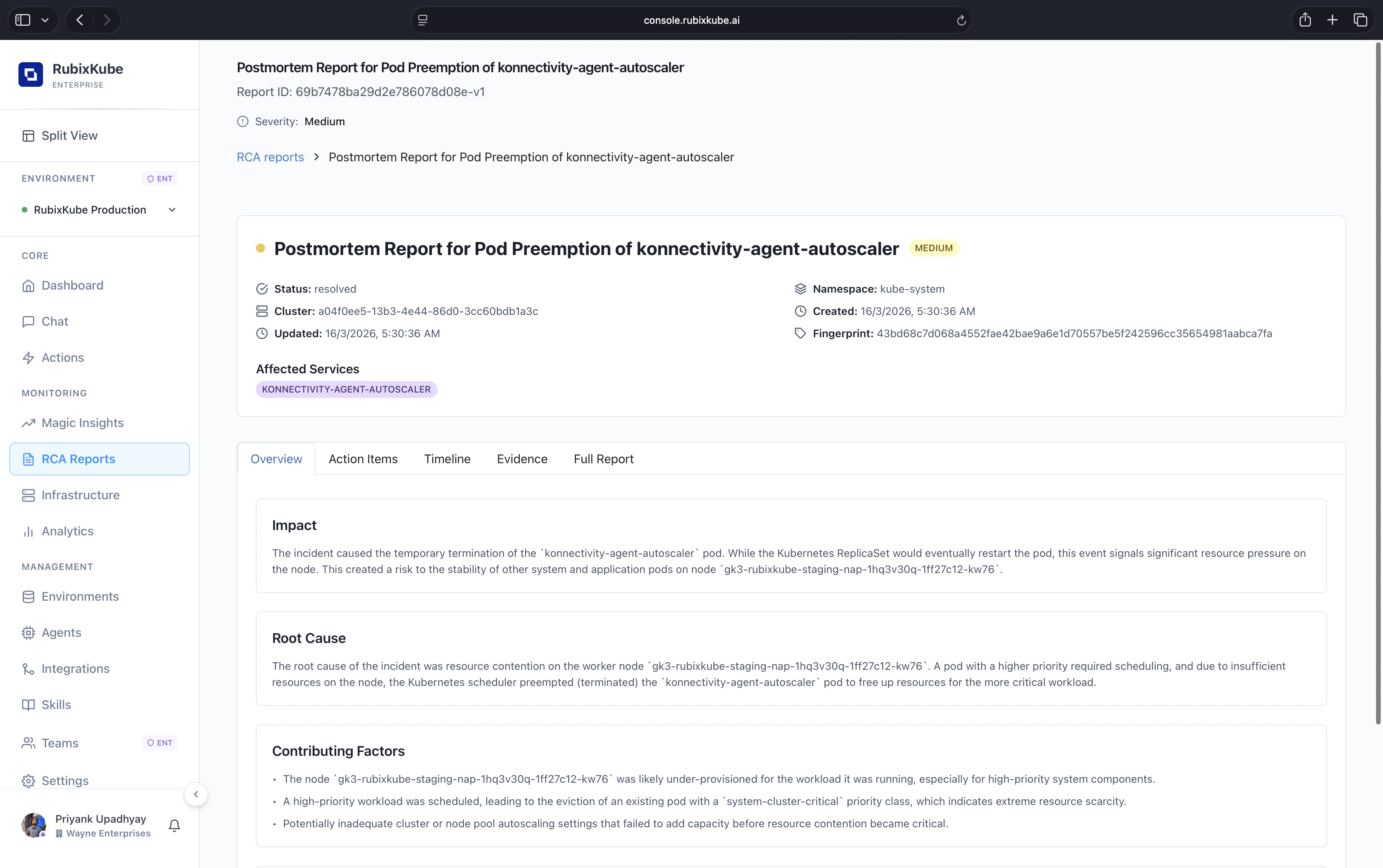
What is in a report
Observed conditions
Observed conditions
The state of the affected resources when the incident started. Snapshots of the metrics, events, and configuration that matter. Every data point is a clickable link back to the source.
Causal chain
Causal chain
Each link reads “A caused B because C”. Every link cites the evidence behind it, so you can verify the reasoning rather than trust it blind.
Recommended actions
Recommended actions
Ranked fixes. Each one carries an expected blast radius, a recovery estimate, and a confidence score. High-confidence items sit at the top.
Verification
Verification
After an action runs, the stabilisation window is recorded on the report. Verified, partial, or rollback-suggested outcomes are all tracked.
Timeline and audit
Timeline and audit
Every status change, approval, applied action, and comment, with actor and timestamp. Ready for compliance review.
How a report is born
RCA Pipeline investigates
If the insight has enough evidence for a single causal chain, the RCA Pipeline Agent takes over and produces a report.
What makes an RCA actionable
Every claim cites evidence
Click any line, jump to the underlying log or metric. No black-box reasoning.
Actions come with blast radius
Before approving, you see what changes, where, and for how long.
Verification closes the loop
You know when a fix worked because the system keeps watching after the action ran.
Feedback sharpens the next one
Your resolution notes feed the Memory Engine. Similar incidents surface the same fix faster next time.
Where RCA Reports fit in the flow
Magic Insights
Where anomalies first surface. Not every insight becomes an RCA.
Action Center
Where recommended actions get approved, applied, and tracked.
How to Automate Incident Remediation
Full workflow from detection to verified fix.
Agent Mesh
Which agent does what inside the investigation pipeline.
Common questions
Why did my insight not become an RCA Report?
Why did my insight not become an RCA Report?
Not every anomaly has a single identifiable root cause. Multi-cause incidents stay as insights, with the causal analysis inline. If you want a deeper dive, escalate from the insight card and Rubix will attempt a full RCA with the added context.
How long does it take to generate a report?
How long does it take to generate a report?
Usually thirty seconds to a few minutes, depending on how wide the causal search is. Large blast radius incidents take longer because more evidence has to be correlated.
Can I export a report?
Can I export a report?
Yes. Markdown export and a printable view are both available on the report detail page. Public share links are scoped and revocable.
Are RCAs stored indefinitely?
Are RCAs stored indefinitely?
Retention follows your plan: 7 days on Free, 30 days on Business, unlimited on Enterprise.