

Prerequisites
AWS CLI signed in
aws sts get-caller-identity must succeed with credentials that can create an IAM role and read the target services.A Linux host
An existing EC2 instance or any Linux VM with outbound HTTPS. The installer can also spin up a fresh EC2 instance for you.
Outbound access
HTTPS to
api.rubixkube.ai:443, TCP to nats.rubixkube.ai:4222, plus the AWS service endpoints you want to observe.A RubixKube workspace
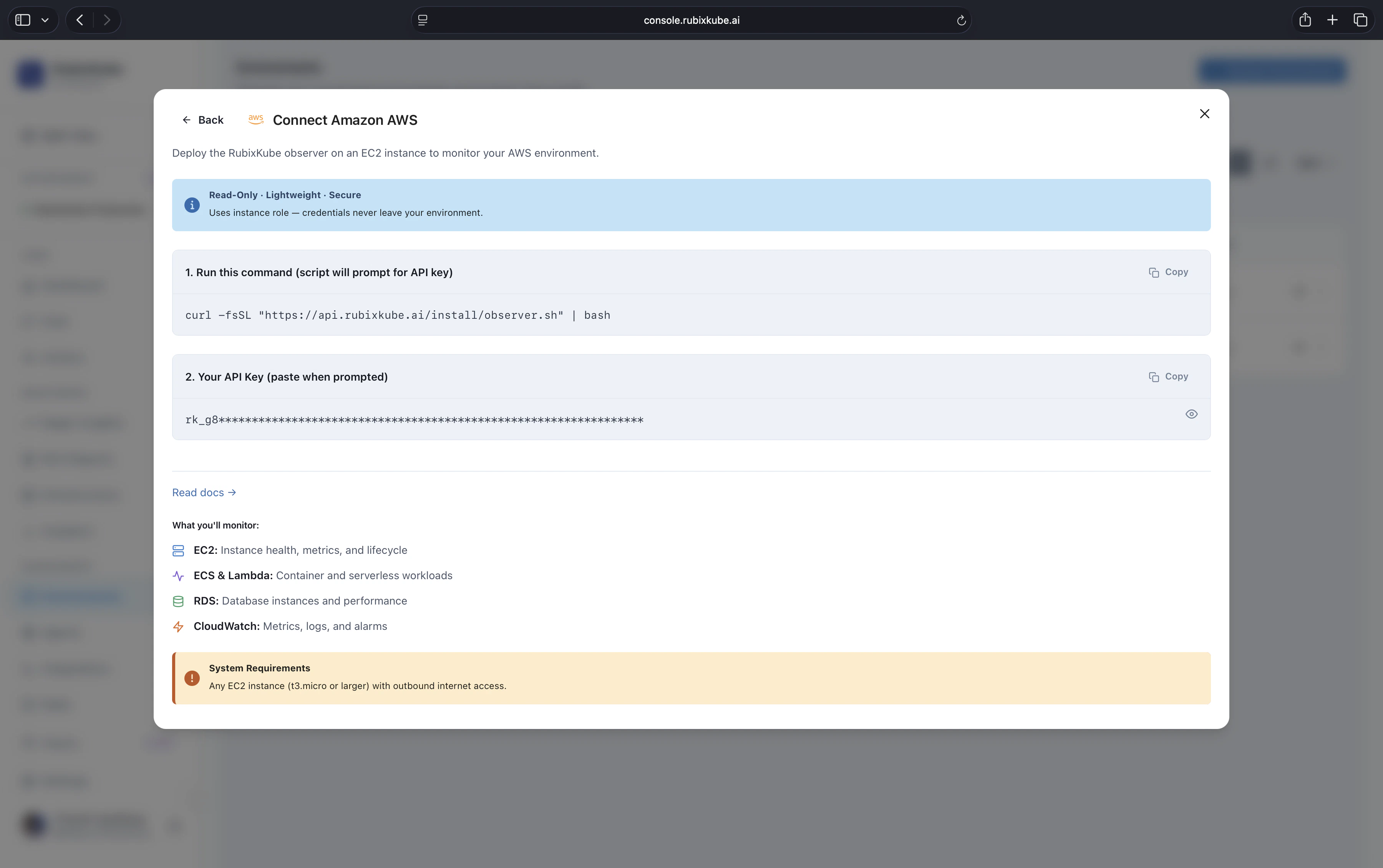
Create a new AWS environment in the console to get your personal install command.
Install
On the machine you want to run the Observer on, paste the personal install command. Shape:Interactive flow
The shell installer asks where to deploy. For AWS:rk-observer-role, attaches read-only policies for EC2, RDS, Lambda, S3, ELB, CloudTrail, and CloudWatch, and starts the Observer as a systemd service.
Verify
- Observer on an existing host
- Fresh EC2 instance (option 2)
Connected to api.rubixkube.ai and AWS service discovery messages within the first minute.What is being monitored
IAM scope
The installer creates a read-only role. Specifically:ec2:Describe*,rds:Describe*,s3:List*,lambda:List*,lambda:Get*elasticloadbalancing:Describe*,cloudwatch:Get*,cloudwatch:List*cloudtrail:Describe*,cloudtrail:Lookup*
Multi-account setup
Connect each account as its own environment. All of them feed the same workspace, so Chat, Insights, and RCAs span accounts automatically. For consolidated billing organisations with dozens of accounts, Enterprise customers can bulk-enroll through AWS Organizations. Email us to set this up.Troubleshooting
Observer service will not start
Observer service will not start
Check logs:Most common causes: invalid API key, missing AWS credentials on the host, outbound 443 blocked to
api.rubixkube.ai, clock skew.Permission denied errors
Permission denied errors
Verify the role attached to the host:If you are running on EC2, the instance role must include the read-only policies listed above. The installer attaches them when it creates a fresh EC2, but for an existing instance you may need to attach them manually.
Metrics missing for a service
Metrics missing for a service
Usually CloudWatch does not have metrics for that service in the region yet (newly created resources take a few minutes), or the service is outside the IAM policy scope. Wait two or three minutes, then refresh.
Network timeouts to AWS APIs
Network timeouts to AWS APIs
If the Observer sits in a VPC without a NAT gateway or VPC endpoint, AWS API calls will time out. Either add the required VPC endpoints or run the Observer on a host with public egress.
Uninstall
Rerun the installer and pick option 2 (Uninstall Observer). It stops the systemd service, removes the binary, and deletes the IAM role and attached policies (unless you ask it to keep them). If the Observer runs on an installer-created EC2 instance, the uninstall also terminates the instance and removes the associated security group.Related guides
Connect your environment
The full install flow covering every supported environment.
Observer Agent concept
What the Observer does, where it runs, what it sees.
First tutorial
Monitor infrastructure health once the Observer is live.