

When you’d use this
- Your own monitor found a problem. Send it in, and it gets triage, an RCA and Tasks like any other incident.
- A deploy finished. Send an event, and an automation checks that nothing broke.
- You want RubixKube’s events in your own system. An outgoing webhook posts to an address of yours.
Connect it
Make the webhook
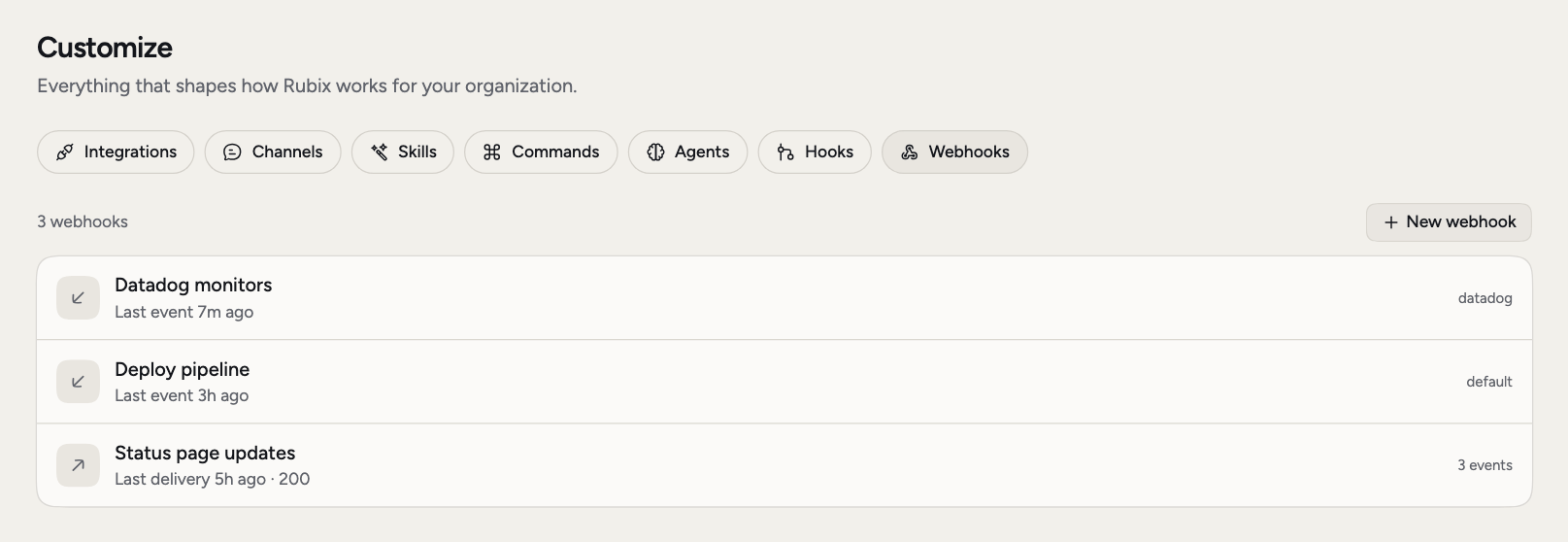
Go to Customize > Webhooks and choose New webhook. Pick Incoming and give it a name, such as
Deploy pipeline.Choose who uses it
Under Used by, pick a source or environment, or type a new source id. With one source, everything the webhook receives belongs to it. With several, each message says which one. With none, messages belong to
default, which is every environment.Save and copy the URL
Choose Save. The URL is shown once, and anyone who has it can post. If you lose it, New URL replaces it and the old one stops working at once.
What opens an incident and what resolves it
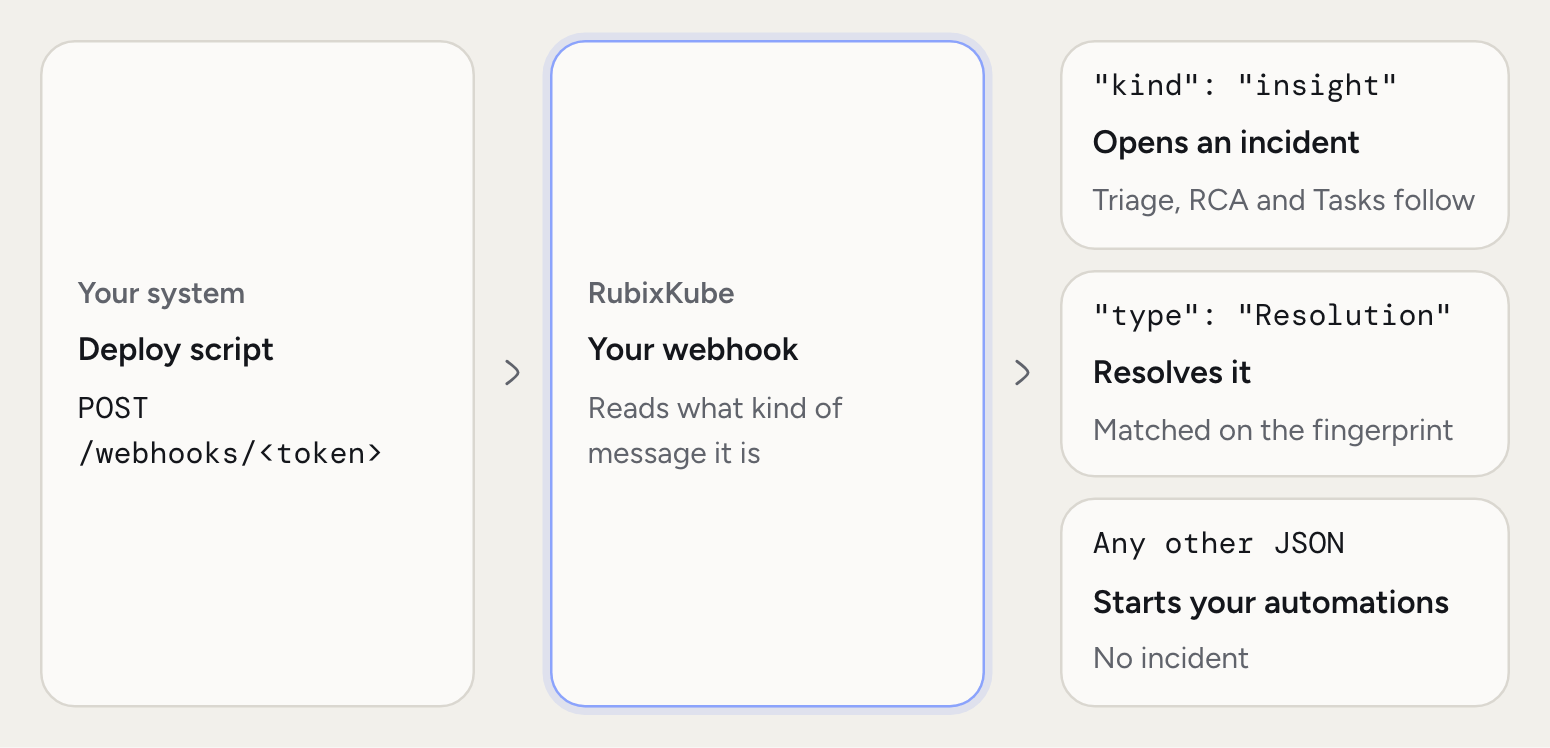
A message opens an incident when it has"kind": "insight". That value is the older name for an incident, so keep it exactly as written.
To close it, send a
Resolution with the same fingerprint:
Events
A message without"kind": "insight" is an event. It can be any JSON, and it starts your automations. If no automation is listening, it’s dropped.
Turn your own events into incidents
If your tool can’t send the fields above, add the built-in automation Your webhook events become incidents under Automations. It reads the JSON your tool already sends.Limits
A body can be up to 256 KB, and each webhook takes 60 events a minute. RubixKube answers202 when it accepts a message. A retry with the same id, event_id or X-Event-Id header counts as one delivery.
If your tool can set headers, you can keep the token out of the URL. Post to https://api.rubixkube.ai/observers/events with Authorization: Bearer <your-token>.
What you’ll see
The webhook’s row shows when the last event arrived. A source it registers appears on Environments, and its Events tab keeps the last 20 messages. Deleting a webhook stops its URL at once. Incidents it opened stay.Outgoing webhooks
An outgoing webhook posts to your own address when something happens in RubixKube. Choose New webhook, pick Outgoing, enter anhttps address and pick the events. Save shows the signing secret once.
The console also lists Automation finished, but nothing sends that event today.
X-RubixKube-Event header with the event name, and an X-RubixKube-Signature header of the form sha256=.... That’s an HMAC-SHA256 of the raw body with your secret, so check it to be sure the request came from RubixKube.
Answer with a 2xx within 10 seconds. Any other answer, or none, is tried again up to six attempts, over about 43 minutes, and then recorded as failed. The drawer’s Deliveries list shows recent results, and Send a test posts one now.
Related pages
Integrations overview
The two ways to connect a tool.
Automations
Do something with the events you send.
Incidents
What happens after an incident opens.
Datadog
A ready-made alert source.