

Cmd+M (Ctrl+M on Windows and Linux). /memory in the chat opens the Memory settings.
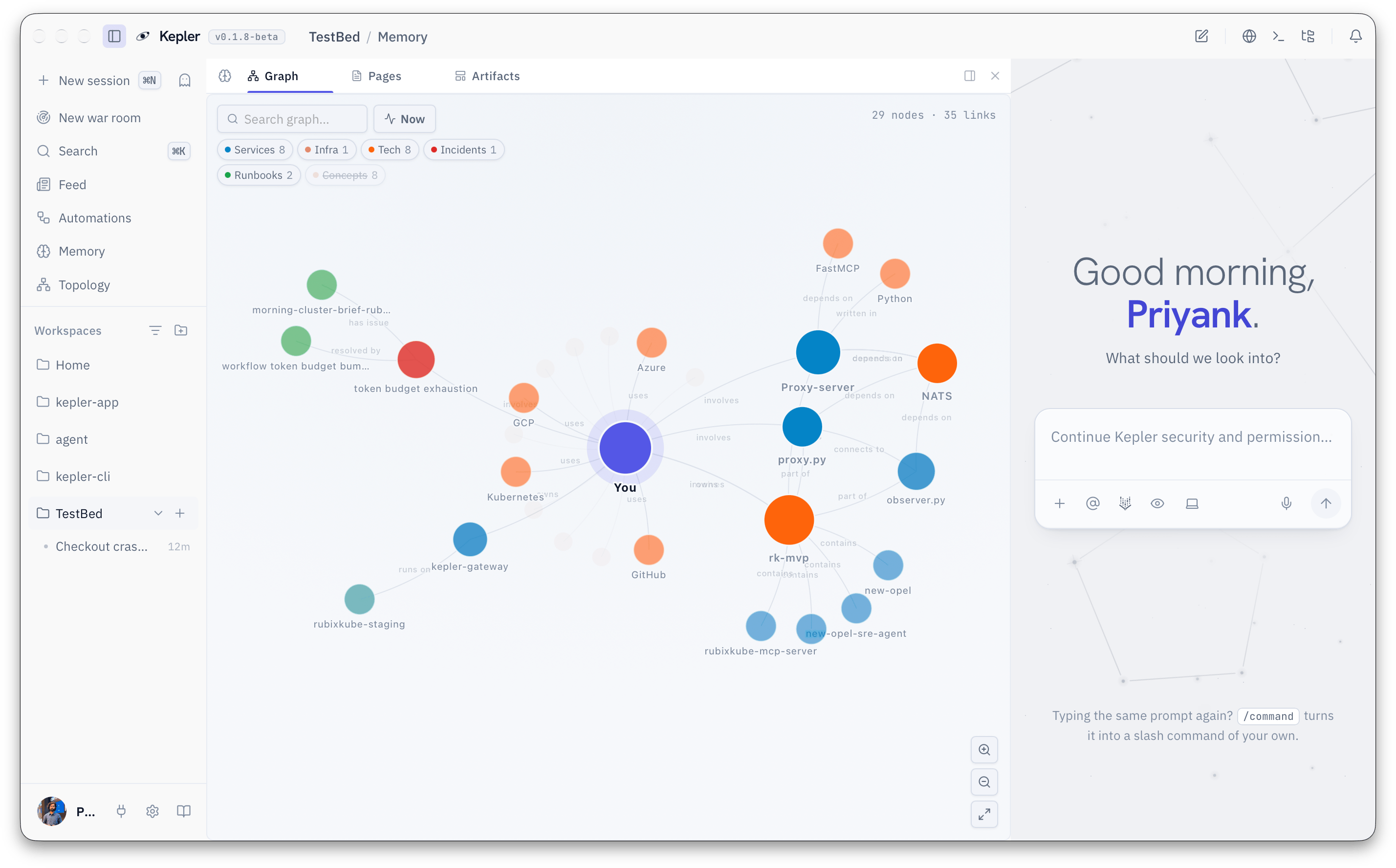
What Kepler remembers
Memory grows quietly as you work. After an investigation, Kepler records what broke, what the cause turned out to be and what fixed it. When you tell it how you like to work, it writes that down too. You can also ask for something to be saved on purpose:The three files you own
Kepler’s standing knowledge about you and your projects lives in three Markdown files. Open and edit them from the Memory panel, or with any editor.kepler.md: global or per workspace?
Start a new workspace with:
The managed block
Kepler only ever edits its own clearly marked block insidekepler.md. Anything you write above or below that block stays exactly as you left it. You can rewrite the whole rest of the file and Kepler will keep working from it the next turn.
pref.md: say it once and it sticks
Tell Kepler how you like to work, in chat, and it records the preference:pref.md. Open the file from the Memory panel to review or remove any of them.
The Memory panel
Incognito sessions
Some conversations should not teach Kepler anything. An incognito session is sealed: memory stays outside it, and nothing that happens inside it is written to memory,user.md or pref.md.
Start one with the ghost button beside New session in the sidebar. Incognito has to be chosen before the first message. A chat that has already run cannot be made incognito after the fact.
Settings > Memory
Troubleshoot memory
Kepler does not remember something I told it. Check that the session was not incognito, then look in the Pages tab for the note. If it is missing, say it again and ask Kepler to save it. If it is there but Kepler does not use it, run Reindex in Settings > Memory. A remembered fact is wrong. Open the page in the Memory panel and edit it. Kepler reads the corrected page on the next turn. For a wrong preference, editpref.md directly.
I want to start clean. Use Wipe memory in Settings > Memory. Export first if you might want it back.
Where to go next
Everyday workflows
Prompts that put memory to work: triage, RCA, handoff.
Extend Kepler
Skills, custom commands and integrations.
Settings reference
Every Memory setting, in context.
Postures
How much Kepler does on its own.