

rm -rf and their relatives never run.
The three postures
In Observe a write is not just gated, it is off the table: Kepler is told the tool is unavailable and advises instead. In Assist a write shows up as an approval. In Yolo it runs.
Switching posture
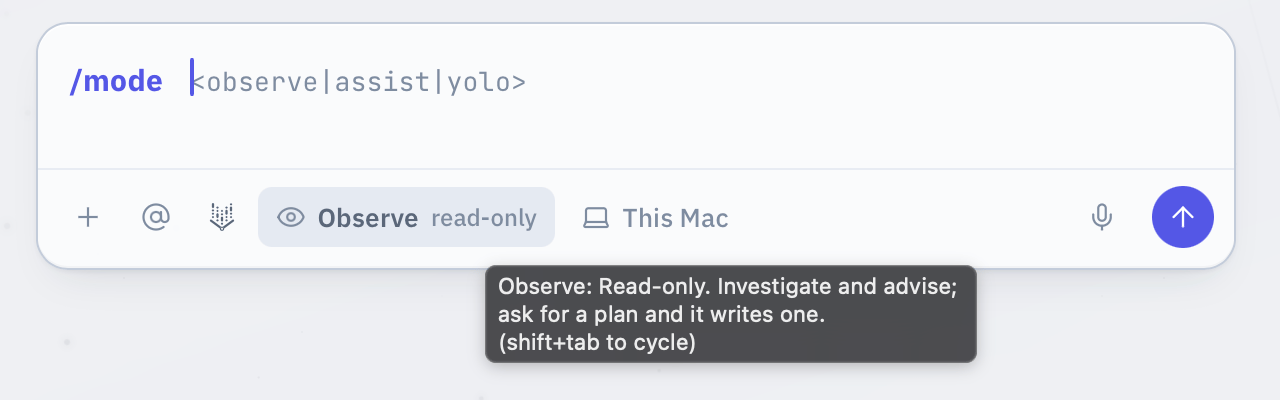
The posture chip sits on the composer toolbar and shows the current posture with a short hint: Observe read-only, Assist asks each step, YOLO acts freely. Three ways to change it:- Click the chip. It cycles Observe, Assist, Yolo, Observe.
- Press
Shift+Tabwith the composer focused. Same cycle. - Type
/mode assist,/mode yoloor/mode observe. A bare/modecycles.
The approval dock
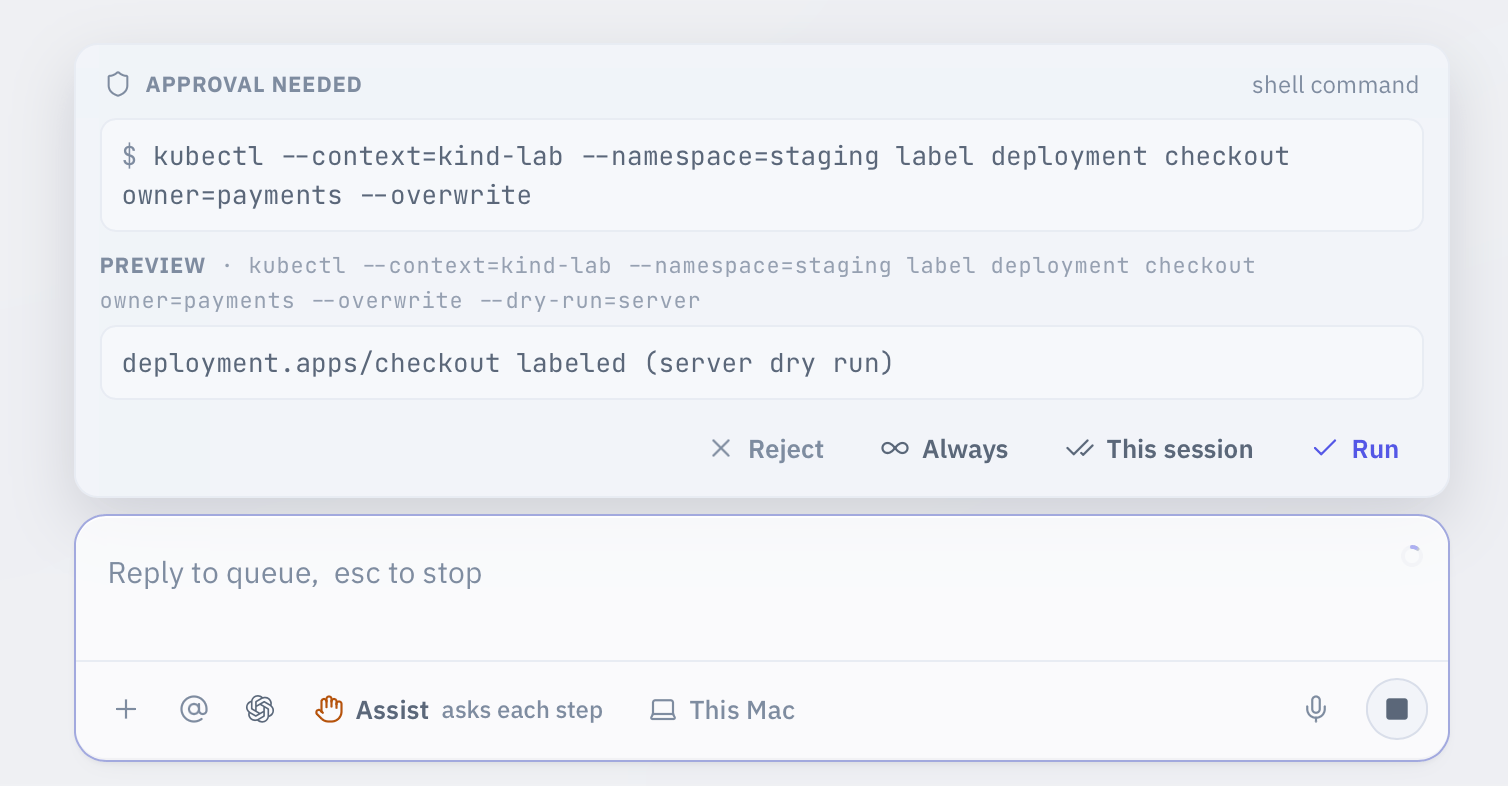
When Kepler wants to do something the posture does not let it do silently, a card docks above the composer. It shows the exact command, character for character, with a$ prompt. For a file edit it shows the diff. For a tool with no command it shows the tool name and its arguments. If the command is a write to a file, some approvals also show a preview of the change.
You have four answers, in order of how long they last:
Always is the one to read twice: it is the only button here that outlives the conversation, and it applies in watchers and workflows too. This session is the safer habit when you just want Kepler to stop asking about the same verb for the next ten minutes.
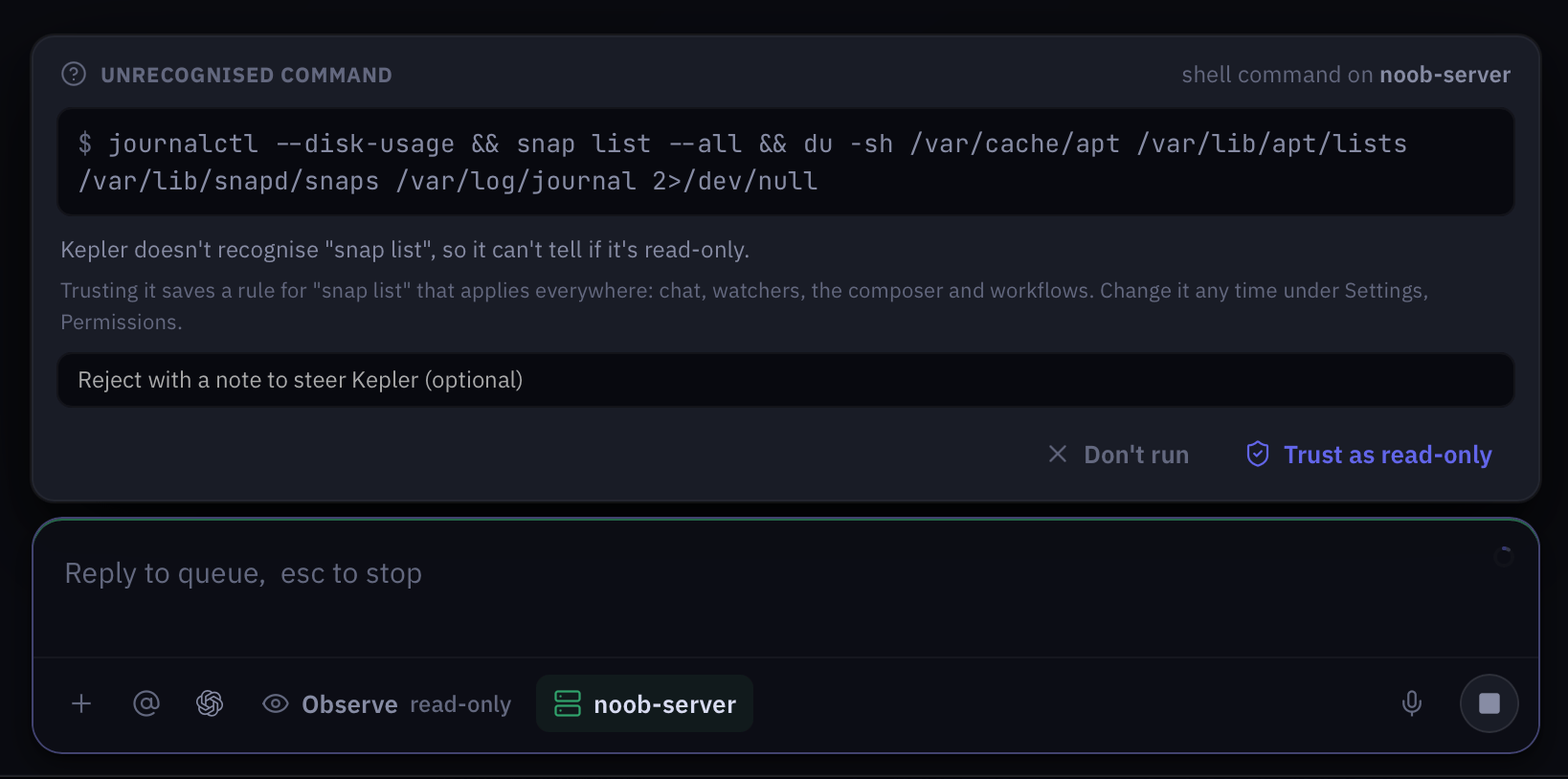
For a command Kepler does not recognise, the unknown-command card offers Trust as read-only, which saves a rule of its own. Rules from either route sit in Settings > Permissions, in a list you can read and change later.
The unknown-command card
Kepler knows what most commands do. When it meets a binary it does not recognise, it cannot tell whether the command is read-only, so it stops and asks rather than guessing. The card says Unrecognised command and names the binary.
Run once is only offered in Assist and Yolo. In Observe the card offers trust or nothing, because Observe promises that no write runs, and Kepler cannot make that promise for a command it does not understand. Watchers never get Run once either: a watcher only runs commands Kepler can vouch for.
A worked example
Send the same prompt in two postures.kubectl get pods, kubectl describe, and pulls logs. It finds a bad environment variable in a ConfigMap and stops there. The reply ends with the exact kubectl command that would fix it, for you to run yourself, or you can ask for a plan with /plan.
In Assist, Kepler does the same investigation, then docks a card with the kubectl apply for the corrected ConfigMap. You read the command, press Cmd+Enter, and it applies. Kepler then re-checks the pods and reports whether the restarts stopped. If the fix had been a kubectl rollout restart, the card would never appear: that command is on the always-blocked list, and Kepler tells you so and suggests you run it yourself.
Where to go next
Permissions
Per-tool allow, ask and block, your command rules, and the always-blocked list.
The workspace
Where the posture chip, the approval dock and the panels live.
Commands and shortcuts
/mode, /plan and the rest of the slash commands.
Workflows
Prompt recipes for triage, rollbacks and runbooks.