

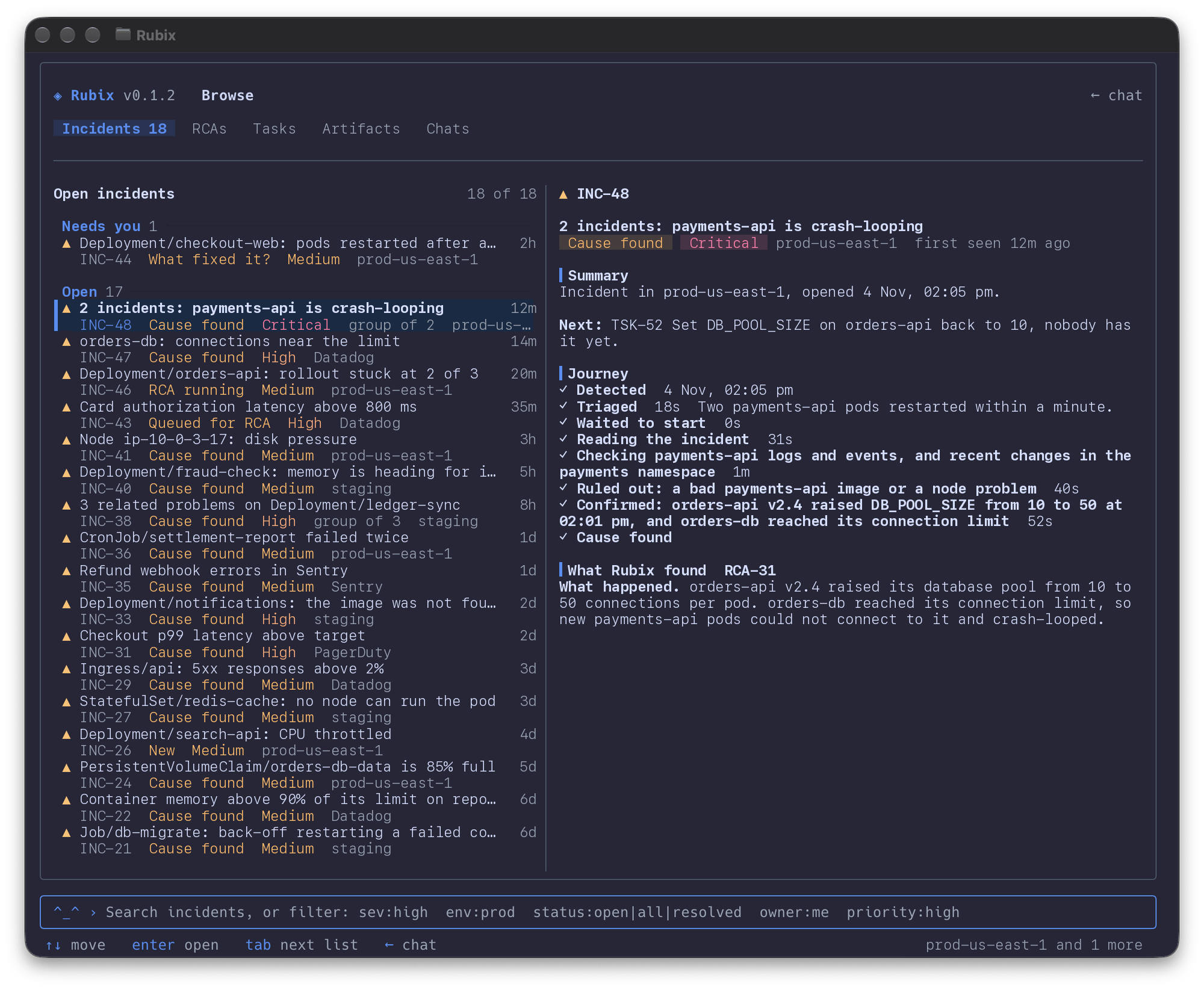
When you’d use this
- You want to see what’s open. Open the Incidents tab, type
sev:high, and move down the list with the preview beside it. - You’re picking up your work.
rubix browse tasks owner:meopens your Tasks. Move one to In progress withs. - An incident needs a person. Open it, read what Rubix found, then close it, run the RCA again or comment.
- An RCA got it right, or wrong. Rate it with
v, so Rubix learns from your answer. - You want Rubix’s take on a record. Press
a, and the record goes with your next chat message.
Open Browse
- Press the left arrow on an empty input in chat, or type
/browse. - Run
rubix browsefrom the shell. - Go straight to a tab:
/incidents,/rcas,/tasks,/artifactsor/chats. Add a search, such as/incidents sev:high env:prod. - Go straight to a record:
/incident INC-12,/rca RCA-4,/task TSK-30, orrubix browse INC-12.
rubix browse tasks owner:me opens the Tasks tab with that search.
Find a record
Browse has five tabs: Incidents, RCAs, Tasks, Artifacts and Chats. Tab and Shift+Tab move between them. One search box works on every tab. Start typing to search, and add filters:
The arrow keys move through the list. If the terminal is at least 100 columns wide, a preview of the selected record shows beside it. Ctrl+R refreshes. If nothing matches and you typed plain words, Enter asks Rubix instead.
Read a record
Enter, or the right arrow, opens the full record. An incident reads like it does in the console: what Rubix found, what was detected (with memory and CPU charts against the limit), its Tasks, and the activity with comments. The arrow keys and Page Up and Page Down scroll. Esc goes back to the list, and Esc again goes back to chat.Act on it
The actions for a record show at the bottom of it. Press the letter.
Anything that changes a record asks first. Press
y to go ahead. Each change is made as you, as if you’d done it in the console.
Use the mouse
The wheel scrolls. Click a tab, a row or an action to pick it. Drag across text to select it, and it’s copied when you let go. Shift-drag uses your terminal’s own selection instead. SetRUBIX_MOUSE=0 to turn the mouse off in Browse.
Chat in the terminal
Ask Rubix about what you found.
Commands
The same lists as one-shot commands.
Incidents
What each part of an incident means.
Tasks
Statuses, owners and checks.