> ## Documentation Index
> Fetch the complete documentation index at: https://docs.rubixkube.ai/llms.txt
> Use this file to discover all available pages before exploring further.
# Rubix Chat Agent
> The conversational surface of RubixKube. Ask your infrastructure questions in plain English, run skills, and launch investigations from the terminal or the console.
Rubix Chat is the conversational front door to your infrastructure. It is powered by the SRI Agent, which reads signals from the Agent Mesh, runs skills, and answers questions with cited evidence.
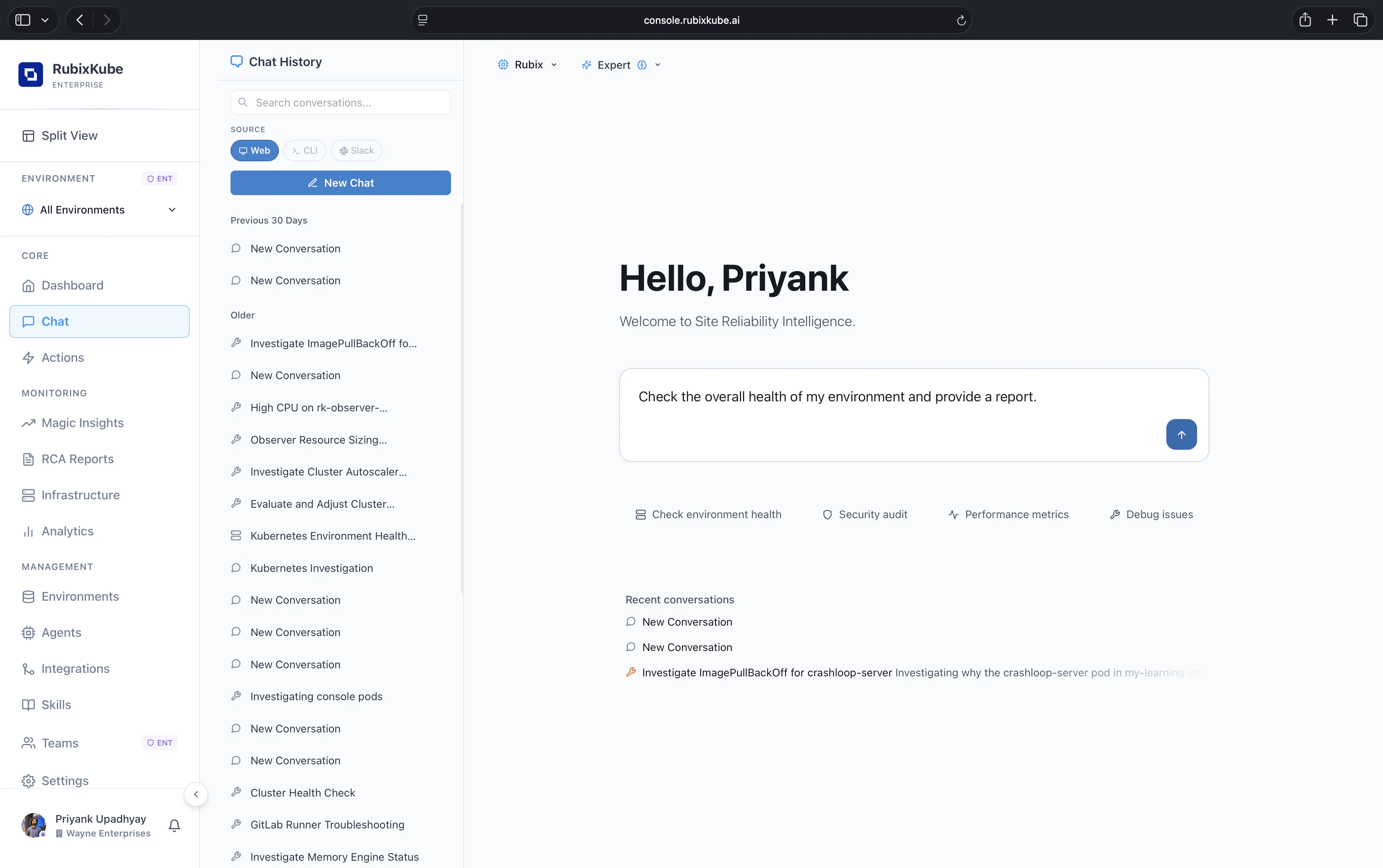 Rubix Chat in the console. Sessions are searchable across Web, CLI, and Slack, and you can switch between Rubix and Expert modes from the header.
## Where Chat lives
Open **Chat** in the left nav. Shares sessions, skills, and environment context with the rest of the product.
Install the Rubix CLI with `npm install -g @rubixkube/rubix`. Launch with `rubix`. Same agent, same skills.
## What it can do
* **Answer questions with evidence.** Every claim is cited back to the underlying log, metric, or event.
* **Investigate proactively.** Open-ended prompts turn into multi-step investigations using the allowed tools.
* **Run skills.** Invoke saved runbooks with `/skills skill-name` or by intent match.
* **Switch environment context.** Use `/environments` to re-scope the conversation to a different cluster, cloud account, or VM group.
* **Resume and rename sessions.** Past investigations stay searchable.
## Best for
"What is the health of prod right now?"
"What changed in the checkout service in the last hour?"
"Why did pod X restart three times at 14:05?"
Save a skill that summarises open incidents and pending actions for the next shift.
## Safety model
Chat inherits the Guardian policies set on each environment. It can recommend and draft mutating actions, but nothing lands in your environment without an explicit approval step. See [Safety and Guardrails](/concepts/guardrails).
## Related guides
Prompt patterns and slash commands that actually work.
How runbooks become first-class tools the agent can run.
Rubix Chat in the console. Sessions are searchable across Web, CLI, and Slack, and you can switch between Rubix and Expert modes from the header.
## Where Chat lives
Open **Chat** in the left nav. Shares sessions, skills, and environment context with the rest of the product.
Install the Rubix CLI with `npm install -g @rubixkube/rubix`. Launch with `rubix`. Same agent, same skills.
## What it can do
* **Answer questions with evidence.** Every claim is cited back to the underlying log, metric, or event.
* **Investigate proactively.** Open-ended prompts turn into multi-step investigations using the allowed tools.
* **Run skills.** Invoke saved runbooks with `/skills skill-name` or by intent match.
* **Switch environment context.** Use `/environments` to re-scope the conversation to a different cluster, cloud account, or VM group.
* **Resume and rename sessions.** Past investigations stay searchable.
## Best for
"What is the health of prod right now?"
"What changed in the checkout service in the last hour?"
"Why did pod X restart three times at 14:05?"
Save a skill that summarises open incidents and pending actions for the next shift.
## Safety model
Chat inherits the Guardian policies set on each environment. It can recommend and draft mutating actions, but nothing lands in your environment without an explicit approval step. See [Safety and Guardrails](/concepts/guardrails).
## Related guides
Prompt patterns and slash commands that actually work.
How runbooks become first-class tools the agent can run.