> ## Documentation Index
> Fetch the complete documentation index at: https://docs.rubixkube.ai/llms.txt
> Use this file to discover all available pages before exploring further.
# RubixKube Documentation
> Site Reliability Intelligence that detects anomalies, diagnoses root cause, and resolves failures autonomously.
 **Welcome to the RubixKube Documentation.**
RubixKube is the Reliability Layer for the AI era. While most tools just tell you that something broke, RubixKube's mesh of AI agents continuously observes your stack, investigates failures, and provides verified root causes with actionable fixes in minutes.
Explore the documentation below to set up your environment, understand the core concepts, and start talking to your infrastructure.
## Start Building
Connect your first environment and see your first investigation in under 10 minutes.
Understand the OPEL loop, the Agent Mesh, and how the Memory Engine compounds over time.
Explore Magic Insights, RCA Reports, Actions, and the Rubix Chat Agent.
Connect GitHub, Slack, Datadog, PagerDuty, or build your own custom integrations.
## Discover the Platform
Shift from raw alerts to complete investigations with evidence-linked hypotheses.
Generate detailed, cited postmortems the moment an incident occurs.
Execute safe, scoped fixes with built-in blast radius calculations.
## Talk to Your Infrastructure
**Welcome to the RubixKube Documentation.**
RubixKube is the Reliability Layer for the AI era. While most tools just tell you that something broke, RubixKube's mesh of AI agents continuously observes your stack, investigates failures, and provides verified root causes with actionable fixes in minutes.
Explore the documentation below to set up your environment, understand the core concepts, and start talking to your infrastructure.
## Start Building
Connect your first environment and see your first investigation in under 10 minutes.
Understand the OPEL loop, the Agent Mesh, and how the Memory Engine compounds over time.
Explore Magic Insights, RCA Reports, Actions, and the Rubix Chat Agent.
Connect GitHub, Slack, Datadog, PagerDuty, or build your own custom integrations.
## Discover the Platform
Shift from raw alerts to complete investigations with evidence-linked hypotheses.
Generate detailed, cited postmortems the moment an incident occurs.
Execute safe, scoped fixes with built-in blast radius calculations.
## Talk to Your Infrastructure
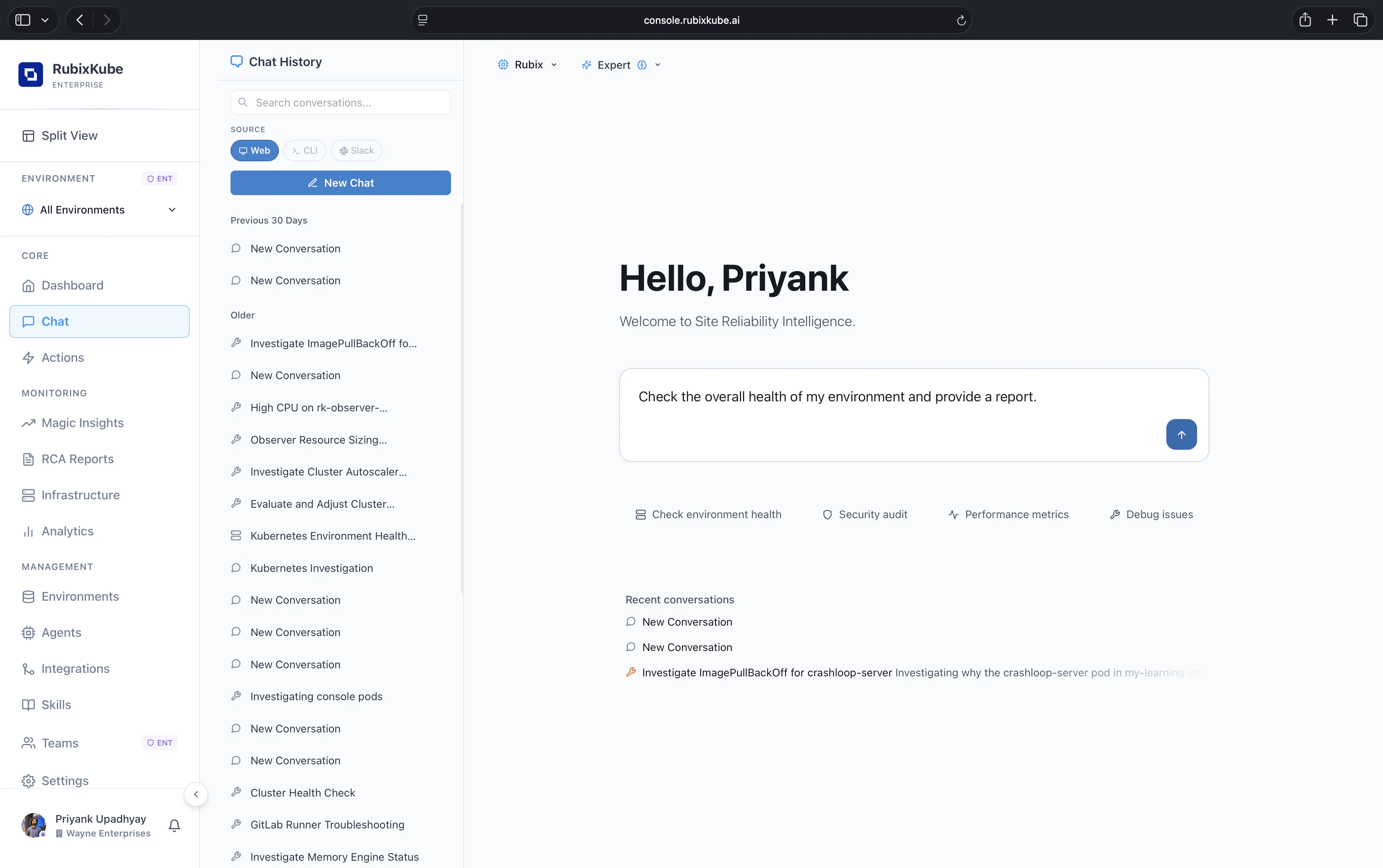 Stop grepping logs. Ask questions like *"Why are payments slow in ap-south-1?"* or *"What changed before this alert fired?"* and get a direct, cited answer from the AI agent that has been continuously watching your stack.
Learn how to interact with the Rubix Chat Agent effectively.
Use chat to diagnose complex multi-service incidents.
## Developer Tools
Manage environments, run investigations, and interact with the Agent Mesh directly from your terminal.
Extend RubixKube's capabilities by writing custom tools for the agents to use.
## Get Support
Need help or have questions? We are here to assist.
Reach out to our engineering team directly at [connect@rubixkube.ai](mailto:connect@rubixkube.ai).
Check out our open-source projects, report issues, and contribute on GitHub.
Stop grepping logs. Ask questions like *"Why are payments slow in ap-south-1?"* or *"What changed before this alert fired?"* and get a direct, cited answer from the AI agent that has been continuously watching your stack.
Learn how to interact with the Rubix Chat Agent effectively.
Use chat to diagnose complex multi-service incidents.
## Developer Tools
Manage environments, run investigations, and interact with the Agent Mesh directly from your terminal.
Extend RubixKube's capabilities by writing custom tools for the agents to use.
## Get Support
Need help or have questions? We are here to assist.
Reach out to our engineering team directly at [connect@rubixkube.ai](mailto:connect@rubixkube.ai).
Check out our open-source projects, report issues, and contribute on GitHub.